Best Monitors for Day Trading in 2026
The best monitors for day trading in 2026: 4K IPS, OLED and super-ultrawide picks compared on pixel density, ports and burn-in risk for multi-monitor desks.
We may earn a commission from links on this page, at no extra cost to you. How we pick products
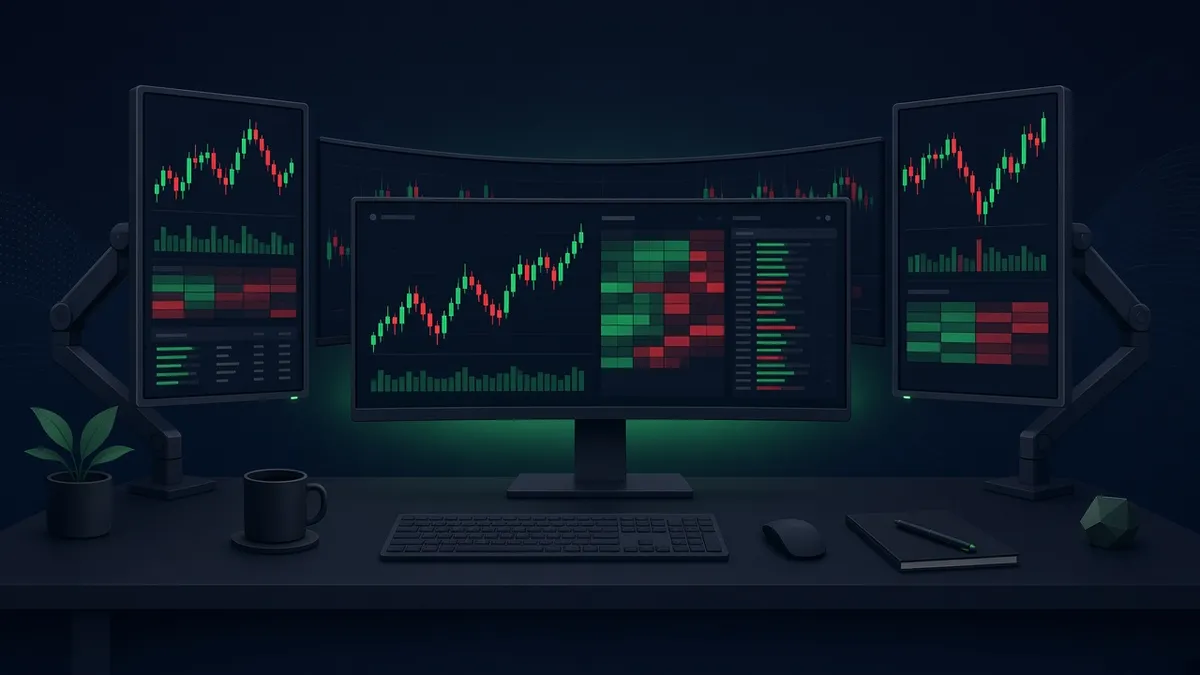
Your monitors are the part of a trading desk you look at for six or more hours a day, so they deserve more thought than "biggest screen I can afford". For trading, the questions that matter are how much readable data fits on screen, how sharp small text and thin candle wicks look, whether the panel will hold up to charts that sit in the same place all day, and how the screens fit together on your desk.
This guide covers flat 4K monitors, OLED, and super-ultrawide options, plus how to plan a multi-monitor layout. If you are leaning toward one big ultrawide instead of several screens, we cover those in depth in our separate ultrawide monitor guide, so we don't repeat those picks here.
Quick picks
| Monitor | Size / resolution | Panel / refresh | Approx. price (checked Oct 2026) | Best for |
|---|---|---|---|---|
| Dell UltraSharp U3225QE | 31.5" 4K (3840 x 2160) | IPS Black, 120Hz | about $800 at B&H (list $1,100) | Best overall main screen |
| Dell UltraSharp U2725QE | 27" 4K (3840 x 2160) | IPS Black, 120Hz | about $650 at B&H; two-pack about $1,300 | Building a 2 to 4 screen wall |
| MSI MPG 321URX QD-OLED | 32" 4K (3840 x 2160) | QD-OLED, 240Hz | about $860 at B&H | OLED with a burn-in warranty |
| Samsung Odyssey OLED G9 (G95SD) | 49" 32:9 (5120 x 1440) | QD-OLED, 240Hz | about $1,200 at B&H on sale (list $1,900) | One super-wide OLED instead of two screens |
| LG UltraFine 27UP850K-W | 27" 4K (3840 x 2160) | IPS, 60Hz | about $350 at B&H | Budget side screens |
| BenQ RD280U | 28.2" 3:2 (3840 x 2560) | IPS, 60Hz | about $550 to $600 (list $599.99) | Tall screen for ladders and watchlists |
Prices are approximate and were checked in October 2026. Several are sale prices, and the Samsung sale price was marked as ending October 25, so check the current price before you buy.
What matters in a trading monitor
Pixel density, not just size
A 27-inch 4K monitor packs about 163 pixels per inch. A 31.5-inch 4K screen works out to about 140, and a 49-inch 5120 x 1440 super-ultrawide about 110 (B&H lists 110 PPI for the Samsung below). Higher density means sharper text at the same size, so you can scale the interface down and fit more panels on screen without squinting. For dense layouts with level-2 data and small fonts, 140 PPI or more is the sweet spot.
Refresh rate is nice, not essential
A 120Hz panel makes scrolling a chart or dragging a window noticeably smoother than 60Hz. It doesn't make your data arrive faster. Put the high-refresh screen where you actively scroll and click, and use cheaper 60Hz screens for static panels like news and watchlists.
Matte, ports and adjustability
Every pick here has an anti-glare or matte finish, which matters with a window behind you. Thunderbolt or USB-C with power delivery lets a laptop run from one cable. Height adjustment and portrait rotation matter more for trading than for most uses: a vertical side screen is the best way to show a long watchlist or order ladder.
OLED and burn-in with static charts
OLED gives perfect blacks and very fast response, but its pixels can wear unevenly when the same bright elements sit in the same place for hours. A trading layout is close to the worst case: the same toolbars, watchlist columns, price-axis labels and taskbar, every day. Modern OLED monitors fight this with pixel shifting and periodic panel-refresh cycles, and some makers now cover burn-in under warranty. MSI says its 3-year OLED warranty includes burn-in, and lists the MPG 321URX among the covered models. Samsung says its US OLED monitors come with a 3-year warranty that includes burn-in coverage. Read the warranty terms for your exact model before you buy.
If you choose OLED for trading:
- Use it for the main chart that moves, and put static panels on IPS side screens.
- Use a dark theme, auto-hide the taskbar, and let the screen sleep when you step away.
- Don't turn off the panel's protection features, and let its refresh cycles run.
If you would rather not think about it at all, IPS (all three Dell and LG picks here) has no burn-in risk.
1. Dell UltraSharp U3225QE: best overall main screen
For a single main trading screen, the 31.5-inch U3225QE hits the balance: 4K at 120Hz, an IPS Black panel with a 3000:1 contrast ratio listed by B&H (much deeper blacks than standard IPS), and an anti-glare finish. B&H had it at about $800, down from $1,100, when we checked in October 2026.
It is also a dock. B&H lists two Thunderbolt 4 ports (one upstream with 140W power delivery and one downstream for daisy-chaining), three USB-C and six USB-A ports, 2.5Gb Ethernet, HDMI 2.1 and DisplayPort 1.4, plus picture-in-picture and picture-by-picture. The stand tilts, swivels, pivots to portrait and adjusts about 5.9 inches in height, and Dell backs it with a 3-year limited warranty.
Good fit if you want one sharp, big main screen that can also dock a laptop. Skip it if you sit very close; at 31.5 inches, the corners are a long way from center.
2. Dell UltraSharp U2725QE: the building block for a screen wall
The 27-inch U2725QE has the same 4K 120Hz IPS Black panel technology in a smaller size, which pushes density up to about 163 PPI. That makes it the best building block for a two, three or four-screen wall. B&H had it at about $650 (list $800), or about $1,300 for a two-pack, when we checked in October 2026, and it also sells a dual kit with a stand.
B&H lists Thunderbolt 4 with 140W power delivery, a second Thunderbolt 4 port, 2.5Gb Ethernet, HDMI 2.1, DisplayPort in and out, and a stand that rotates to portrait. Running two of these side by side, or one landscape with one in portrait, is one of the most practical trading setups you can buy.
Good fit if you are building a multi-monitor wall and want every screen to match. Skip it if you want one large screen instead; the U3225QE above or an ultrawide is a better fit.
3. MSI MPG 321URX QD-OLED: the OLED pick with burn-in coverage
If you want OLED for your main chart, this is the one we would pick for a trading desk, mainly because of the warranty. MSI's 3-year OLED warranty explicitly includes burn-in, and this model is on MSI's covered list. B&H lists a 4K QD-OLED panel at 240Hz with a 0.03ms response time, up to 1000 nits peak brightness for HDR, HDMI 2.1, DisplayPort 1.4a and USB-C with 90W power delivery. It was about $860 at B&H when we checked in October 2026.
The trade-offs: its USB hub is USB 2.0, and the stand rotates only 10 degrees each way, so it isn't a portrait monitor. Use it as the landscape centerpiece and flank it with IPS screens for static panels.
Good fit if you want OLED contrast on your main chart and the safety of burn-in coverage. Skip it if your layout keeps bright, static panels on screen all day; an IPS Dell is the safer choice.
4. Samsung Odyssey OLED G9 (G95SD): one super-wide OLED instead of two screens
The 49-inch G95SD is a 32:9 QD-OLED with 5120 x 1440 pixels at up to 240Hz, the same width as two 27-inch 1440p monitors with no bezel in the middle. It has a tight 1800R curve, HDMI 2.1, Micro-HDMI 2.1 and DisplayPort 1.4, per B&H. Samsung's US OLED monitors carry a 3-year warranty that Samsung says includes burn-in coverage. B&H had it on sale at about $1,200 (list $1,900) when we checked, with the sale marked as ending October 25, 2026.
Two cautions for traders. Its 1440-pixel height is the same as a single 27-inch QHD screen, so you get width rather than vertical space. And B&H's spec sheet lists no VESA mounting pattern, so plan on the included stand rather than a monitor arm. If you want more vertical pixels in a super-ultrawide, the 57-inch Samsung Neo G9 and the taller Dell UltraSharp ultrawides in our ultrawide guide are the ones to look at.
Good fit if you want a single, seamless wide screen for side-by-side charts. Skip it if you stack charts vertically, or want to mount it on an arm.
5. LG UltraFine 27UP850K-W: budget 4K side screens
Side screens for news, a watchlist or a scanner don't need 120Hz or IPS Black. The 27UP850K-W gives you the same 27-inch 4K resolution as the Dell U2725QE for about $350 at B&H (checked Oct 2026). B&H lists an IPS panel at 60Hz with 400 nits brightness, two HDMI 2.0 inputs, DisplayPort 1.4, USB-C with 90W power delivery, and a stand that adjusts for height and rotates to portrait.
Its warranty is shorter than the Dells' (B&H lists a 1-year limited manufacturer warranty), and 60Hz scrolling is less smooth. Neither matters much on a screen that mostly shows static information.
Good fit if you need two or three matching 4K side screens without paying UltraSharp prices. Skip it if it is your main screen; spend more there.
6. BenQ RD280U: a tall screen for ladders and watchlists
The RD280U is built for programmers, but its shape suits traders too. It is a 28.2-inch 3:2 panel at 3840 x 2560, which gives you 400 more vertical pixels than a 4K screen, about 164 PPI per BenQ. That extra height fits more rows on an order ladder or watchlist without rotating a screen to portrait. BenQ lists a matte IPS panel at 60Hz, HDMI 2.0, DisplayPort 1.4, USB-C with 90W power delivery and daisy-chain output, a built-in KVM switch, and a 100 x 100 VESA mount. It was listed at $599.99, and on sale for about $550 at Newegg when we checked in October 2026.
Good fit if you want one tall, sharp screen for ladders, time and sales, or long watchlists. Skip it if you want high refresh for active chart scrolling.
Multi-monitor setups that work
There is no single right layout, but these cover most traders:
- Two screens: one Dell U3225QE or MSI 321URX in landscape for charts, plus one U2725QE in portrait for the watchlist and ladder.
- Three screens: a 31.5-inch or 32-inch main screen in the center with two 27-inch 4K screens either side, angled in. Keep the main screen directly in front of you so you aren't turning your head to the chart you trade from.
- Four screens: a 2 x 2 grid of 27-inch 4K screens on a quad arm, or three across with a fourth above center. Four 4K screens need a graphics card with four outputs; see our trading computer guide for machines that drive four to eight screens.
- One ultrawide plus a portrait side screen: a 5K2K ultrawide from our ultrawide guide, with a 27-inch 4K or the BenQ RD280U beside it for lists.
Whatever you pick, mount the screens. Arms put every screen at eye level, free the desk and make portrait rotation easy; our monitor arm guide matches arms to real panel weights. With four or more screens on one desk, add up the total weight and check your desk's capacity with our standing desk guide.
FAQ
What is the best monitor size for day trading? For a main screen, 27 to 32 inches at 4K. That gives you 140 to 163 PPI, which is sharp enough to scale panels down and fit more data on screen.
Is OLED good for day trading? It can be, with care. Static layouts raise the burn-in risk, so pick a model whose warranty covers burn-in (the MSI and Samsung here do, per their makers), use it for moving charts, and keep static panels on IPS screens.
Is one ultrawide better than multiple monitors? It is cleaner and has no bezels, but multiple screens are easier to mix (landscape and portrait) and cheaper to expand. Our ultrawide guide compares the best ultrawide options.
Do I need 120Hz or higher for trading? No. It makes scrolling smoother and is pleasant on your main chart, but it doesn't change your data. Use 60Hz for side screens to save money.
Specs are from B&H product spec pages and the makers' pages (MSI, Samsung, BenQ). Prices are approximate, were checked in October 2026, and change often; check the current price at the retailer.
Related guides
Best Ultrawide Monitors for Stock Trading in 2026
Five high-resolution ultrawide monitors for trading, compared on resolution, pixel density, ports and size, so one screen can replace a multi-monitor rig.
Best Standing Desks for Multi-Monitor Trading Setups in 2026
Electric standing desks that can carry a multi-monitor trading rig: UPLIFT V3, FlexiSpot E7 Pro and Secretlab MAGNUS Pro compared on capacity, height and warranty.
Best Monitor Arms for Trading Setups in 2026
Monitor arms for trading desks matched to real monitor weights: heavy ultrawides, dual 32-inch screens and triple 24-inch rigs, with the ranges that matter.